Hugo 설치
Node.js 설치
Hugo 설치 파일 다운로드
- Hugo 공식 웹사이트(https://gohugo.io/)의 다운로드 페이지에서 운영 체제에 맞는 설치 파일을 다운로드합니다.
설치 파일 압축 해제
- 다운로드한 파일의 압축을 해제합니다.
- 압축을 해제하면
hugo.exe파일이 생성됩니다.
Hugo 실행 파일 이동
hugo.exe파일을 `D:/Obsidian/ref’ 등의 디렉토리에 복사합니다.- 디렉토리 경로는 제한이 없으며, 없다면 새로 만듭니다.
환경변수 설정
- “내 PC” -> “속성” -> “고급 시스템 설정” -> “환경 변수"로 이동합니다.
- 시스템 변수에서 “Path"를 선택하고 “편집"을 클릭합니다.
- “새로 만들기"를 클릭하고 hugo.exe 파일을 복사한 디렉토리를 추가합니다.
설치 확인
- 명령 프롬프트를 열고 다음 명령어를 입력하여 설치가 제대로 되었는지 확인합니다:
> hugo version- 설치된 Hugo 버전이 표시되면 설치가 완료된 것입니다.
D:\Obsidian>hugo version
hugo v0.127.0-74e0f3bd63c51f3c7a0f07a7c779eec9e922957e+extended windows/amd64 BuildDate=2024-06-05T10:27:59Z VendorInfo=gohugoio

D:\Obsidian>
Hugo 사이트 생성
일반적인 Hugo project 진행 방식입니다만, 이 프로젝트는 Doks 테마를 이용해 진행 할 예정이므로, 이후 내용은 참고만 하시고 Doks 테마 설치 부터 이어서 진행하시기 바랍니다.
- 터미널에서 다음 명령어를 실행하여 새로운 Hugo 사이트를 생성합니다
mkdir blog_hugo
cd blog_hugo
hugo new site .D:\Obsidian>mkdir DocFlow_Hugo
D:\Obsidian>cd DocFlow_Hugo
D:\Obsidian\DocFlow_Hugo>hugo new site .
Congratulations! Your new Hugo site was created in D:\Obsidian\DocFlow_Hugo.
Just a few more steps...
1. Change the current directory to D:\Obsidian\DocFlow_Hugo.
2. Create or install a theme:
- Create a new theme with the command "hugo new theme <THEMENAME>"
- Or, install a theme from https://themes.gohugo.io/
3. Edit hugo.toml, setting the "theme" property to the theme name.
4. Create new content with the command "hugo new content <SECTIONNAME>\<FILENAME>.<FORMAT>".
5. Start the embedded web server with the command "hugo server --buildDrafts".
See documentation at https://gohugo.io/.
D:\Obsidian\DocFlow_Hugo>이후 폴더 구조는 다음과 같습니다.
D:.
├─archetypes
├─assets
├─content
├─data
├─i18n
├─layouts
├─static
└─themes
Hugo 사이트 빌드
Hugo 로컬 서버 실행
- Hugo 로컬 개발 서버를 실행하여 사이트를 미리보기합니다
hugo serverD:\Obsidian\DocFlow_Hugo> hugo server
Watching for changes in D:\Obsidian\DocFlow_Hugo\{archetypes,assets,content,data,i18n,layouts,static}
Watching for config changes in D:\Obsidian\DocFlow_Hugo\hugo.toml
Start building sites …
hugo v0.127.0-74e0f3bd63c51f3c7a0f07a7c779eec9e922957e+extended windows/amd64 BuildDate=2024-06-05T10:27:59Z VendorInfo=gohugoio
WARN found no layout file for "html" for kind "taxonomy": You should create a template file which matches Hugo Layouts Lookup Rules for this combination.
WARN found no layout file for "html" for kind "home": You should create a template file which matches Hugo Layouts Lookup Rules for this combination.
| EN
-------------------+-----
Pages | 4
Paginator pages | 0
Non-page files | 0
Static files | 0
Processed images | 0
Aliases | 0
Cleaned | 0
Built in 3 ms
Environment: "development"
Serving pages from disk
Running in Fast Render Mode. For full rebuilds on change: hugo server --disableFastRender
Web Server is available at http://localhost:1313/ (bind address 127.0.0.1)
Press Ctrl+C to stopHugo 로컬 서버 보기
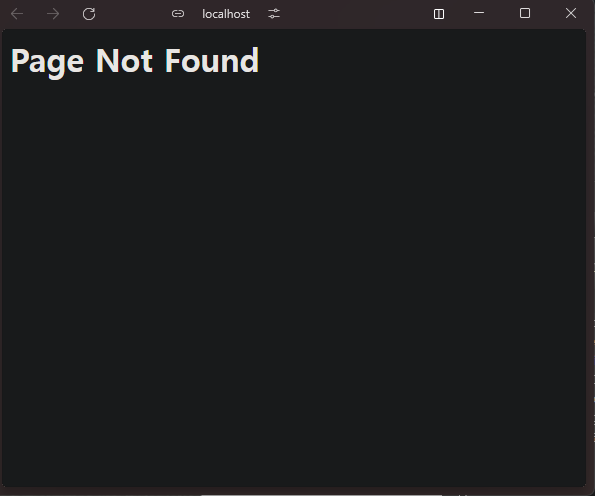
- 브라우저에서
http://localhost:1313으로 접속하여 사이트를 확인합니다.